
Share S3 access, not S3 keys.
Give a colleague, a client or a contractor access to an S3 bucket or folder without sending them an access key. Stream Vessel shares the access at READ, WRITE or FULL, and takes it back in one click.

Sharing credentials, sharing access, sharing a link
Object storage has no "share this folder" button of its own. People usually hand out keys. There are better options.
| Send an access key | Stream Vessel share | Presigned link | |
|---|---|---|---|
| What the other person holds | Your key and secret, or a new IAM user's | Their own Stream Vessel sign-in | A URL to one object |
| Scope | Whatever the key's policy allows | A connection, a bucket, or a folder | One file per link |
| Level | Whatever the key's policy allows | READ, WRITE or FULL | View or download |
| Ends | When you rotate the key, for everyone using it | When you revoke it, for that person only | At the expiry you chose |
| Where | Anywhere the key is copied | Stream Vessel Cloud | Any browser; created in Cloud or the extension |
How a Stream Vessel share works
- You add your storage as a connection in Stream Vessel Cloud. The key is encrypted with AES-256 on Stream Vessel's servers.
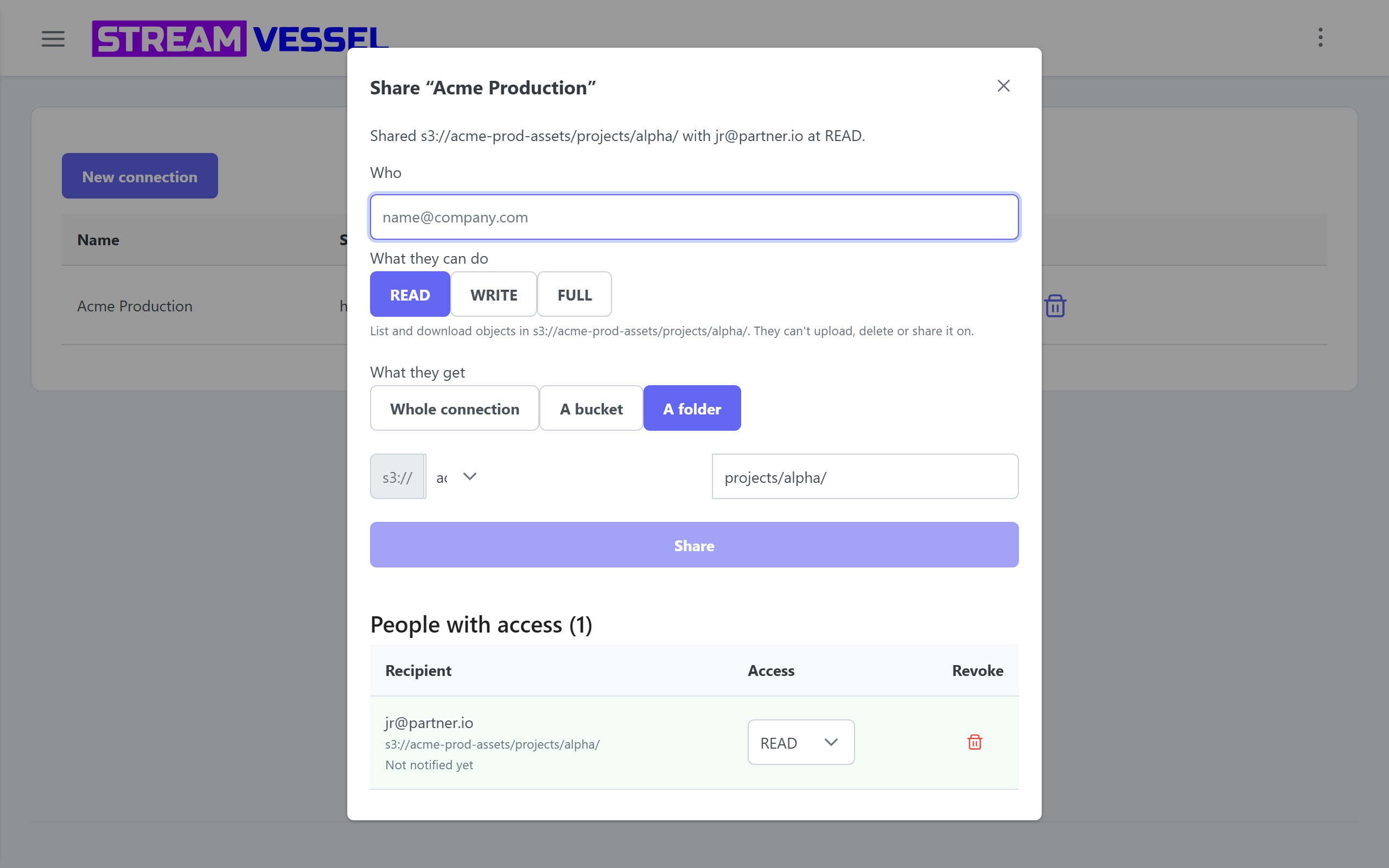
- You share the whole connection, one bucket, or a folder, by email, at READ, WRITE or FULL. From a folder, Share access… in the context menu opens the dialog prefilled.
- They sign in to Stream Vessel with that email and find it under Shared with me, next to their own connections, with a badge showing their access.
- They browse, upload, download and edit within the level and scope you gave, never seeing the key. Presigned links they create last at most 60 minutes.
Scope, revocation and team access
-
Scope to a bucket or folder. Share
s3://bucket/projects/alpha/and that folder is all they can reach. - Three levels. READ, WRITE or FULL, per share.
- Revoke in one click. From the share dialog, or on the Shared access page, which lists every grant across your connections, with a filter and bulk revoke.
- No key rotation. Revoking a share affects that person only. The key and everyone else's access stay as they are.
- Invite people without an account. A share to an email address with no account activates when they sign up.
- Their AI inherits their limits. If the recipient connects an AI agent, it reaches the shared storage at the lower of its token's tier and the share's level. S3 access for AI agents.
Coming soon Recipient notifications with an option to decline, and receiving shared connections in the Chrome extension and desktop app. Until notifications ship, tell the person you shared with them.
Presigned links that expire
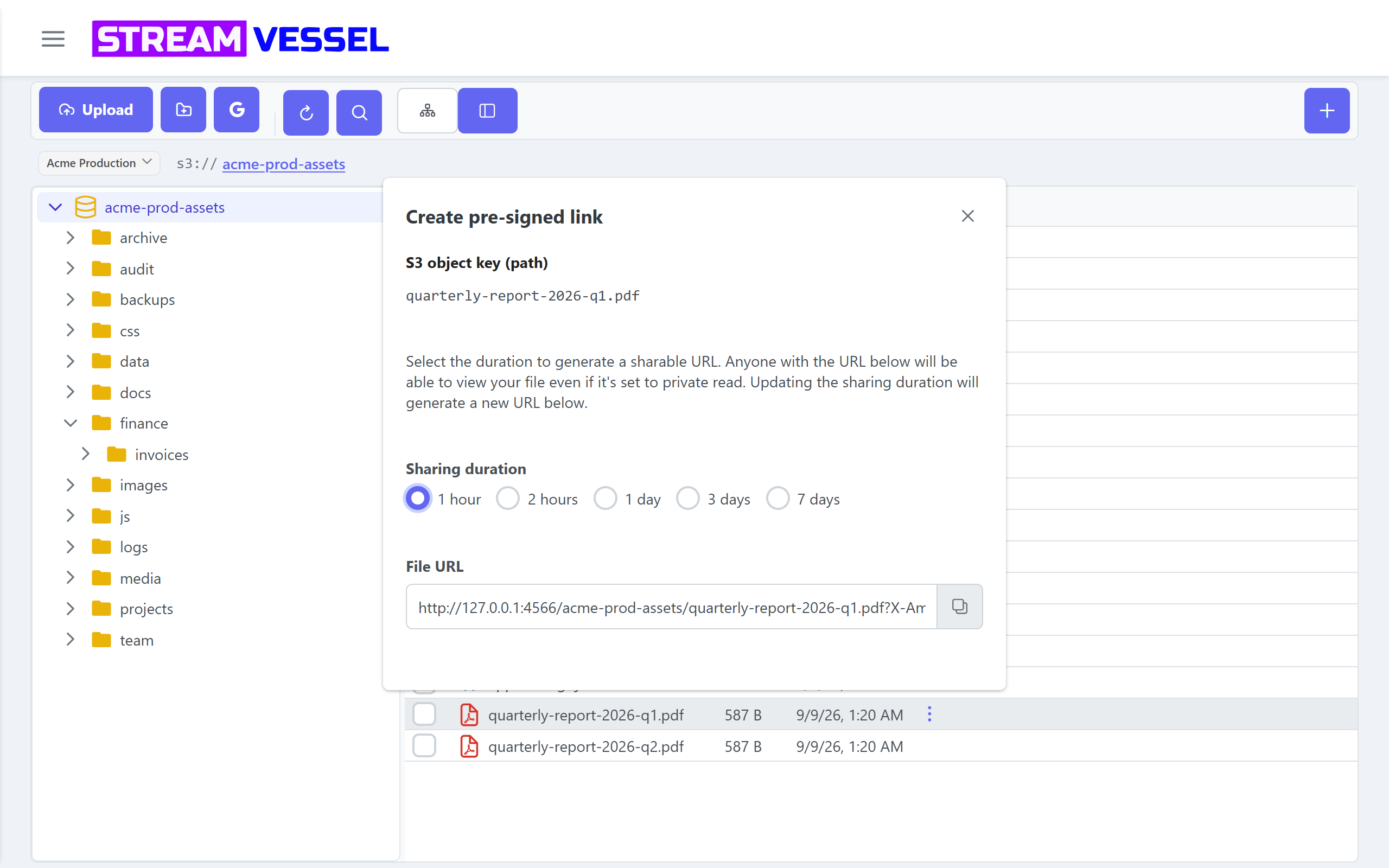
For a file or two, a presigned link is enough. Create one for a single file or a link for each file in a selection, with an expiry you choose. Anyone with the link can open the file until it expires. Available in Stream Vessel Cloud and the Chrome extension.