
Copy files between cloud storage providers.
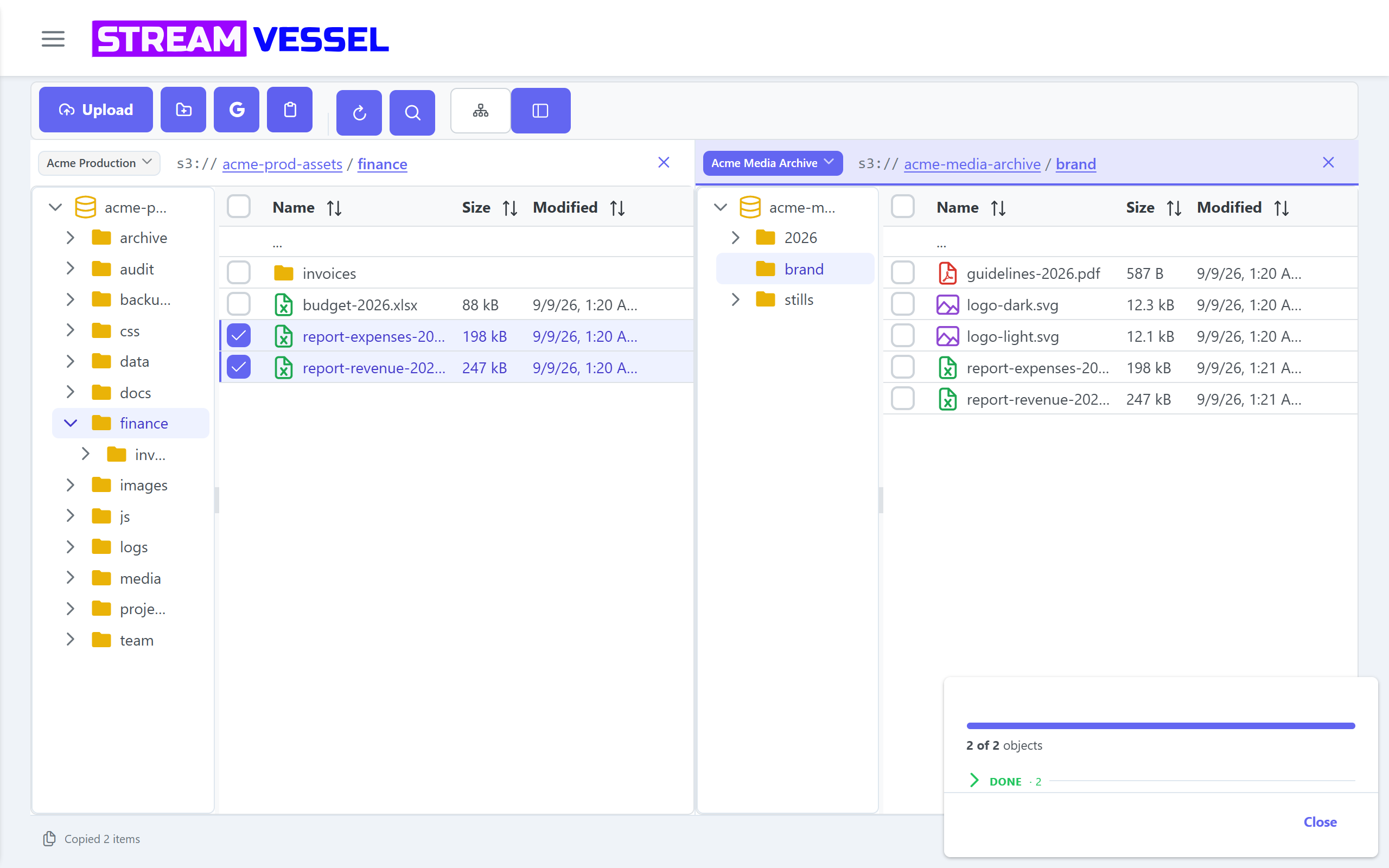
Open two storage connections side by side and drag files from one to the other: AWS S3 to Cloudflare R2, Backblaze B2 to Wasabi, MinIO to S3. And copy files between Google Drive and your buckets in both directions.
Supported transfers
| From → to | How | Cloud | Chrome extension |
|---|---|---|---|
| Folder → folder, bucket → bucket, same connection | Copy or move: drag and drop, or cut, copy and paste | ✓ Available | ✓ Available |
| S3 ↔ S3-compatible, any provider to any provider | Copy: drag between panes, or copy and paste | ✓ Available | ✓ Available |
| S3 bucket → Google Drive | Send to Google Drive, destination remembered | ✓ Available | ✓ Available |
| Google Drive → S3 bucket | Import from Google Drive with Google's picker | ✓ Available | ✓ Available |
| Your computer ↔ any bucket | Upload files and folders, download files and selections | ✓ Available | ✓ Available |
| Google Drive as a full connection: browse, edit, share | Planned | Soon | Soon |
Google Drive on the desktop app is coming soon. The desktop app itself is not released yet.
Transfer files between S3 providers
Add each provider as a connection and open them in separate panes, each on its own connection, bucket and folder. Select files or folders and drag them across, or copy in one pane and paste in the other.
- Whole folder trees. Copy a folder and everything under it.
- A transfer panel. Every file is listed. Stop keeps what already copied, and Retry re-runs only what failed.
- Copy, never a silent move. A drag across connections always copies, and cut and paste across connections is refused with a message. The source stays untouched until you delete it.
- Any pair of providers. AWS S3, Cloudflare R2, Backblaze B2, Wasabi, DigitalOcean Spaces, MinIO, IDrive e2 and custom endpoints, in any direction.

Copy files between Google Drive and S3
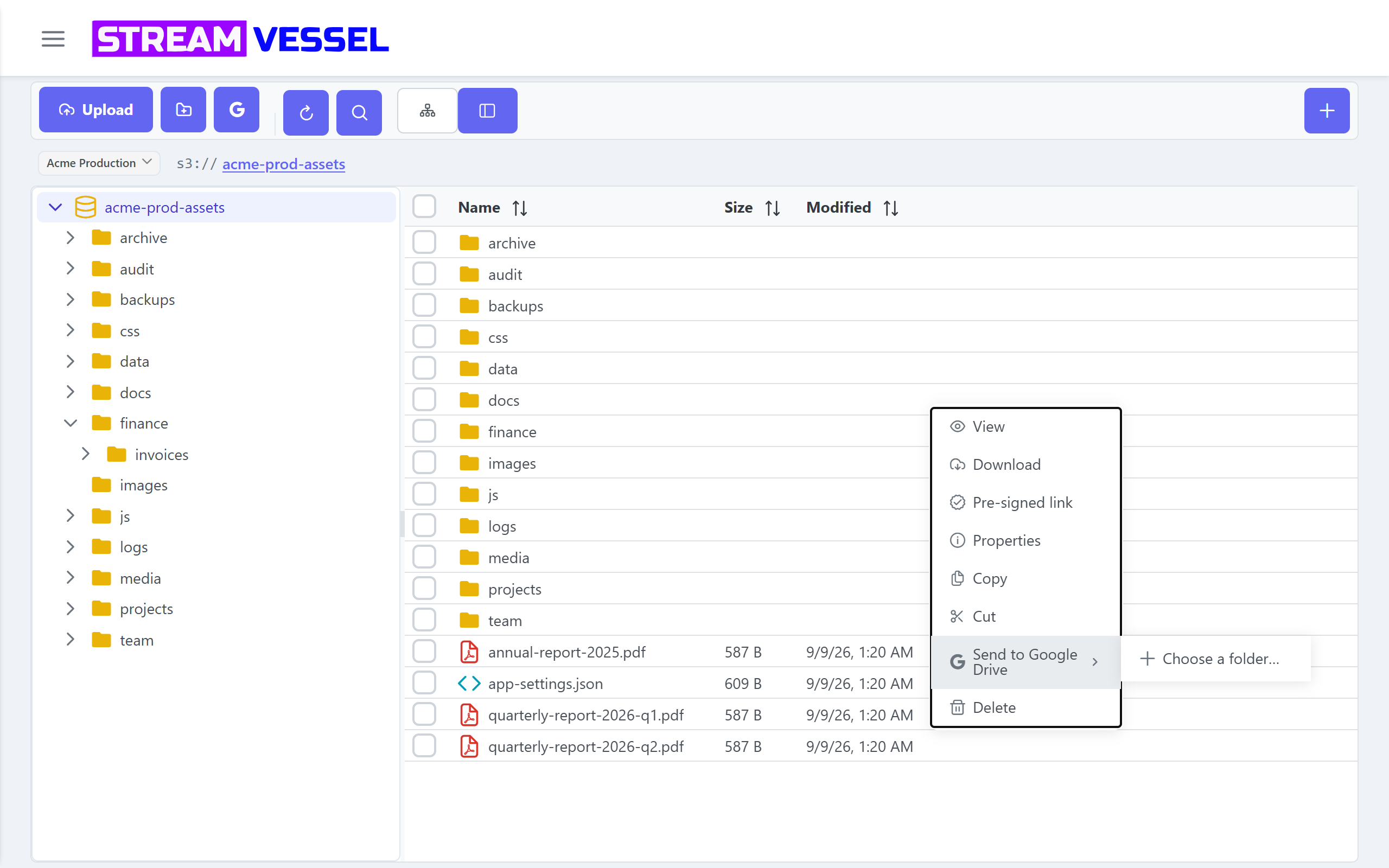
Drive to S3: open the folder you want the files in and import them from Google Drive with Google's picker. Google Docs and Sheets are offered as .docx or .xlsx first.
S3 to Drive: select files and send them to a Google Drive folder, without downloading them to your computer first. The destination is remembered, so the next send is one click.
You sign in with Google for Drive access. Works with any bucket, on any provider.
What this is not
Stream Vessel transfers are copies you start and watch. It does not schedule transfers, sync two locations, or keep backups, and it does not rename objects yet. For a one-off migration between providers, or copying a few files into Drive for a colleague, it saves writing a script.